
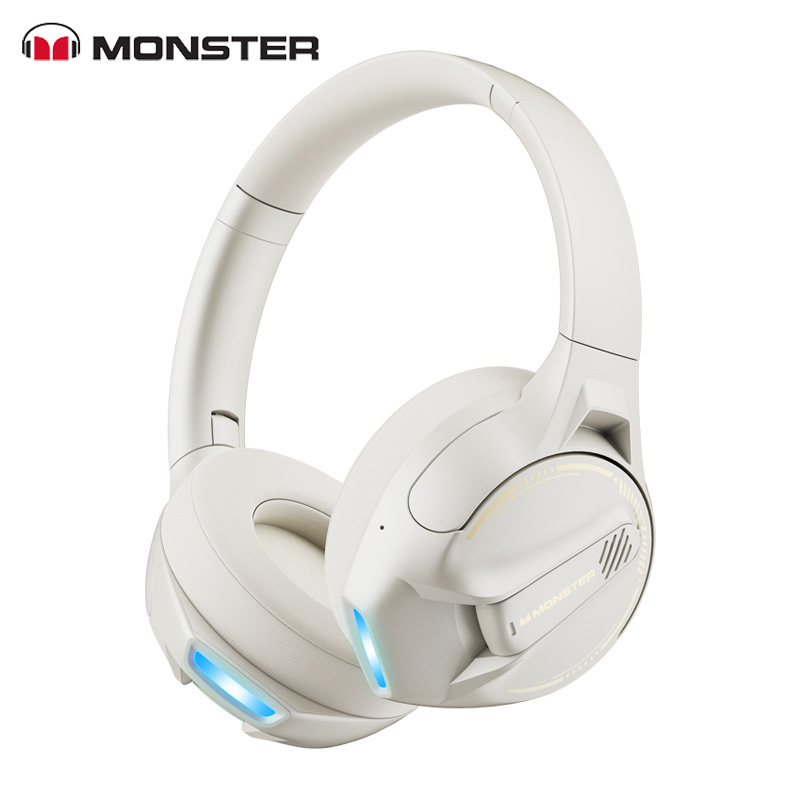
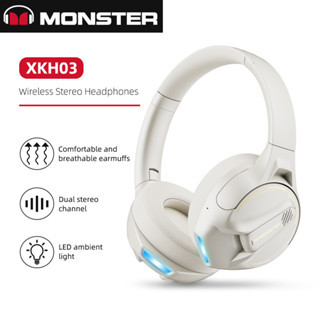
MONSTER XKH03 Wireless Gaming Headphone
Note: Before making a Purchase, Please confirm the Availability and Price of the Product
Availability:
In Stock (5)
Description
Product Overview
Volume Up, Next Song
Multi Function Button (MFB) (Power on/off/Answer/Hang Up/Play/Pause /Last Number Redial……)
Volume Down, Last Song
3.5mm Audio Port
Bluetooth Indicator
Type-C Charging Port
Microphone
Product function parameters
Bluetooth version: V5.3
Battery capacity: 600mAh
Charging time: about 1.5 hours
Standby time: about 100 hours
Transmission distance: 10 meters
Horn impedance: 32 Ω ±15%
Frequency range: 20hz- -20khz
Speaker size: 40mm
Speaker sensitivity: 110dB ± 3dB
Microphone sensitivity: -42dB ± 3dB
Rated input: 5V ⎓ 500mA
Audio interface: AUX
Running time: About 25 hours
Power On/Off
Press MFB button to turn on the headphones, ice blue indicator flashes and voice prompt “Power On” will be heard. Press MFB button again to turn off headphones, red indicator flashes and voice prompt “Power Off” will be heard.
Pairing
Press MFB button, turn on the Bluetooth of the smart device and search for Monster Storm XKH03 headset to pair, click connect, when the pairing is successful, you will hear “Connected.”.
Note: The headset will automatically enter pairing mode the first time it is used and powered on. This product has a bluetooth memory function, you only need to turn on the headset and the device to use it again, and it will automatically connect)
Volume Control
Short press the Volume Up or Down Button to turn volume up or down, you hear tone
once you reach the maximum volume or minimum volume.
Call
Answer/End Call: short press the MFB
Reject Call: long press the MFB about 2 seconds
Redial: quickly double press the MFB for redial the last dialed phone number
Music
Play/Pause: press the MFB.
Backward: press③for 2 seconds for the previous song.
Forward: press①for 2 seconds for the next song.
Mode Switch
Game/Music mode: Long press MFB button 2 seconds
Voice Control Function (Call SIRI)
Triple-click the MFB button (depends on mobile phone feature)
Reset Paired Device List
After power on, no Bluetooth device is connected, press and hold the Volume Up and Volume Down Button simultaneously for about 8 seconds.
Audio Cable Operation:
The audio cable connects the device and the Bluetooth headset, and the headset automatically shuts down; Unplug the audio cable, you need to reboot, and then follow the above steps to pair and connect.
Volume Up, Next Song
Multi Function Button (MFB) (Power on/off/Answer/Hang Up/Play/Pause /Last Number Redial……)
Volume Down, Last Song
3.5mm Audio Port
Bluetooth Indicator
Type-C Charging Port
Microphone
Product function parameters
Bluetooth version: V5.3
Battery capacity: 600mAh
Charging time: about 1.5 hours
Standby time: about 100 hours
Transmission distance: 10 meters
Horn impedance: 32 Ω ±15%
Frequency range: 20hz- -20khz
Speaker size: 40mm
Speaker sensitivity: 110dB ± 3dB
Microphone sensitivity: -42dB ± 3dB
Rated input: 5V ⎓ 500mA
Audio interface: AUX
Running time: About 25 hours
Power On/Off
Press MFB button to turn on the headphones, ice blue indicator flashes and voice prompt “Power On” will be heard. Press MFB button again to turn off headphones, red indicator flashes and voice prompt “Power Off” will be heard.
Pairing
Press MFB button, turn on the Bluetooth of the smart device and search for Monster Storm XKH03 headset to pair, click connect, when the pairing is successful, you will hear “Connected.”.
Note: The headset will automatically enter pairing mode the first time it is used and powered on. This product has a bluetooth memory function, you only need to turn on the headset and the device to use it again, and it will automatically connect)
Volume Control
Short press the Volume Up or Down Button to turn volume up or down, you hear tone
once you reach the maximum volume or minimum volume.
Call
Answer/End Call: short press the MFB
Reject Call: long press the MFB about 2 seconds
Redial: quickly double press the MFB for redial the last dialed phone number
Music
Play/Pause: press the MFB.
Backward: press③for 2 seconds for the previous song.
Forward: press①for 2 seconds for the next song.
Mode Switch
Game/Music mode: Long press MFB button 2 seconds
Voice Control Function (Call SIRI)
Triple-click the MFB button (depends on mobile phone feature)
Reset Paired Device List
After power on, no Bluetooth device is connected, press and hold the Volume Up and Volume Down Button simultaneously for about 8 seconds.
Audio Cable Operation:
The audio cable connects the device and the Bluetooth headset, and the headset automatically shuts down; Unplug the audio cable, you need to reboot, and then follow the above steps to pair and connect.
Related Products
Headphones
Ronin R-9 Type-C High Elastic Wire Handsfree
Note: Before making a Purchase, Please confirm the Availability and Price of the Product

Headphones
A4Tech MI 10 Stand Mic
Note: Before making a Purchase, Please confirm the Availability and Price of the Product
Headphones
Ronin R-970 Free Style Wireless Neckband
Note: Before making a Purchase, Please confirm the Availability and Price of the Product
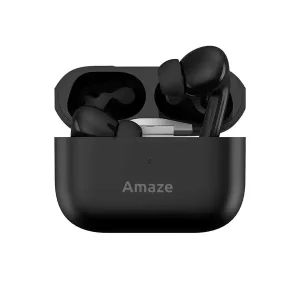
Headphones
Amaze A600 Earbuds (Black - White)
Note: Before making a Purchase, Please confirm the Availability and Price of the Product